I’ll admit, I mostly wrote this for my mom-she’s completely computer illiterate! BUT if any of you can find this helpful by all means be my guest!!!
Facebook is at it AGAIN. Right when you get used to the new way, they go and change it. Have you noticed that you are only seeing update from certain people? It’s as if the others have vanished. Don’t lie, you were totally thinking those people didn’t like you anymore. No worries-they still love you and nobody was “blocking” you on purpose—it’s all Facebook’s fault! When facebook updated the new features, they had a default setting that your page automatically got set to-it just so happens to be set to show ONLY posts from people who you’ve recently interacted with or that you interact with the most. If you want to change it so that you can start interacting again…..here’s how to fix the sucker so that you can be “visible” to your friends again….and vice-versa!
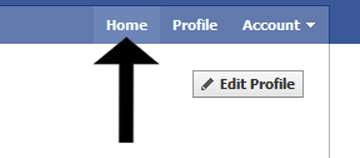
Step 1: Got to the homepage
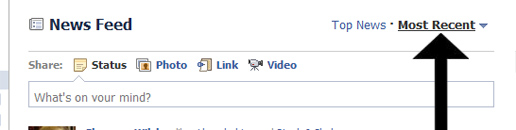
Step 2: click the “Most Recent” title on the right of the Newsfeed
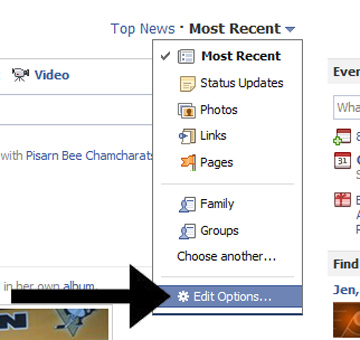
Step 3: then click the drop down arrow and select “Edit Options”
Step 4: click on “Show Posts From” and change the setting to “All Of Your Friends and Pages”
…….THEN PRESS SAVE.!!
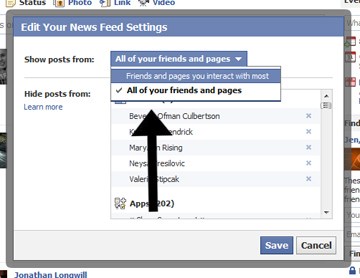
WA-LA………You’re done!!! Please keep in mind that business pages don’t have a news feed. If you are a business owner you would simply do this on your personal page 🙂 I hope that helps a bit!!
Now get to facebook’en!! WORD to my MAMA!